


Get quote
Get Free Consultation!
We are ready to answer right now! free consultation.
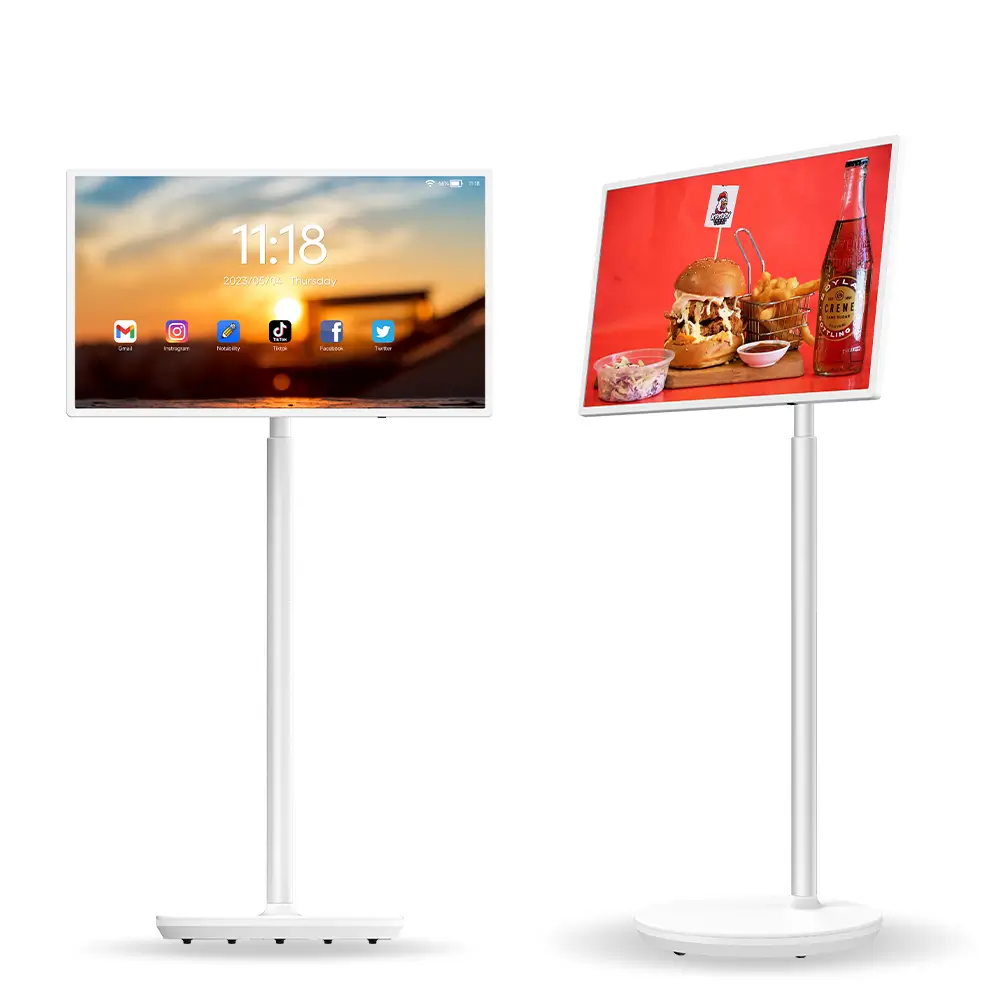
A rotating screen is useful only when staff can move it, position it and return it to a ready state through an agreed process. A rotatable touch smart display manufacturer should explain the complete operating cycle: preparation, travel to the room, orientation change, session use, account cleanup and charging or storage. The purchasing decision should cover that cycle rather than stop at a demonstration of the swivel mechanism.
LINGHUFOX offers 27- and 32-inch rotatable touch displays with different published levels of detail. The 27-inch page describes a rolling stand and portrait or landscape viewing. The 32-inch specification adds explicit adjustment and battery information. Keep those model records separate. A capability or runtime listed for the 32-inch unit should not be copied into a quotation for the 27-inch version.
The 27-inch LINGHUFOX display describes a touchscreen that rotates between portrait and landscape, with a rolling stand for movement between rooms or activity areas. Its suggested applications include presentations, hospitality information and interactive viewing. Request the actual power, computer and mechanical specifications for the quoted version rather than filling gaps from another model.
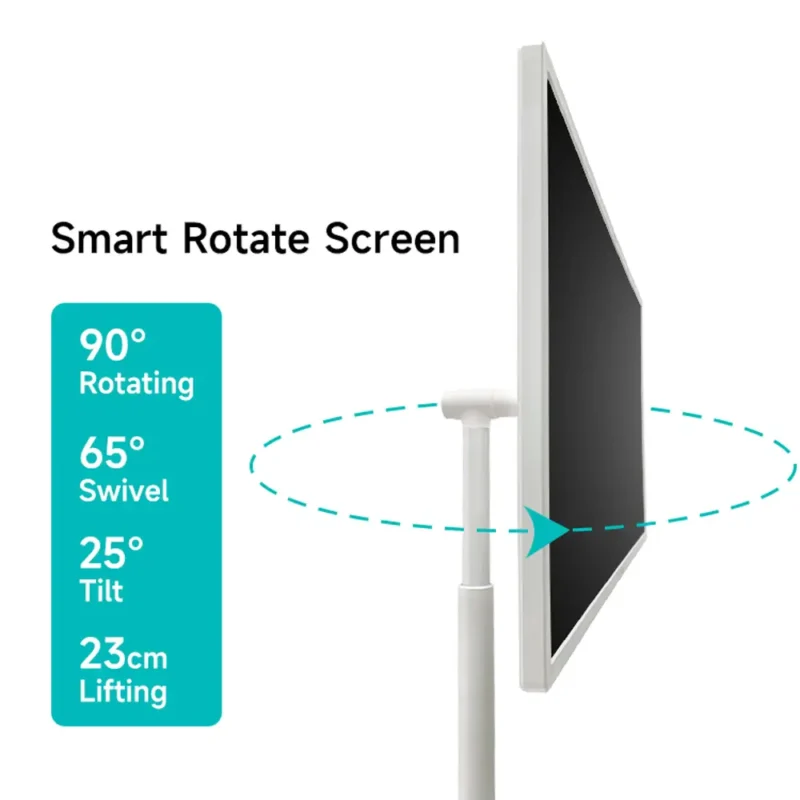
The 32-inch version lists Full HD 1920 × 1080 resolution, 10-point PCAP touch and Android 11. Its adjustment information includes 90-degree rotation, 22-degree tilt and 170 mm of height adjustment. These published values should be confirmed against the supplied revision and its operating instructions; they are not directions to force the screen beyond a mechanical stop.
The 32-inch table describes a 230 Wh lithium iron phosphate battery and approximately five to six hours after a full charge. Treat that as a published estimate for the listed configuration, not a guaranteed shift duration under every application, brightness setting or battery condition. Ask which conditions support the figure and evaluate the intended workload on the actual sample.
The 32-inch specification identifies HDMI output, USB, network and other connections. An output is not automatically an input for a visitor’s laptop. Ask the manufacturer which source and application routes the model supports. Do not advertise a wired laptop-monitor function or an arbitrary video input simply because a familiar connector appears in the table.
The application-selection guide helps establish that boundary. For this operating plan, keep the chosen application, its account requirements and the approved content source beside the physical model identity. The unit that moves between rooms should remain the same documented configuration that was evaluated.
List the rooms where the display is intended to work and the route between them. Consider doors, thresholds, floor changes and the planned parking positions. Have the responsible site team assess the route using the manufacturer’s handling instructions. Wheels make movement possible; they do not establish suitability for every surface, ramp or obstacle.
Ask how the unit should be prepared for movement, including its permitted screen position and cable arrangement. Follow the supplied instructions rather than inventing a universal tilt or handle location. This article does not prescribe lifting, loading or moving a heavy assembly. The school, hotel or business should identify who is authorized to move it and how that activity is supervised.
Keep connected cables out of an improvised travel plan. Confirm when the unit is to be disconnected and how accessories are carried. A cable dragged behind a moving screen can create a different risk from a fixed installation. Do not assume battery operation removes every cable dependency when the session also uses a wired network or external device.
Choose the position for the task, not simply the nearest empty floor area. Check the viewing direction, interaction space and access around the unit. The display should not be parked where it prevents a normal door movement or blocks the site’s required routes. Applicable circulation and accessibility requirements belong with the responsible site professionals.
Where the room arrangement changes frequently, mark the approved setup in the operating guide. A photograph can help staff recognize the intended position, but include enough written information to identify the connections and task. Reassess the arrangement when furniture or use changes rather than treating the original location approval as permanent.

A physical rotation and an application’s layout response are separate behaviours. Open the intended file or application, change orientation through the permitted procedure and inspect the result. Check whether controls remain visible, text remains usable and the touch coordinates match the displayed controls. A successful rotation on the home screen does not validate every application.
Prepare portrait and landscape content deliberately where the task needs both. A tall menu and a wide presentation may require different compositions. Decide whether the application reflows, rotates, crops or preserves unused space, and record the supported result. Do not expect the hardware to redesign a poorly matched document automatically.
For interactive use, repeat a representative action in both approved orientations. Select a control near each relevant edge, open the next screen and return to the starting view. This is a proposed acceptance sequence, not a claim that the models have been tested with every interface. Keep the software version and the exact device configuration in the record.
The listed 32-inch adjustments provide a range of positions, but the intended users and task determine which position is useful. Follow the manufacturer’s instructions for making and securing adjustments. Ask the site and application owners to review the viewing and interaction position, particularly when a display is shared between seated and standing activities.
A display positioned for a presenter may not be ideal for a guest reading a menu or selecting information. Define a normal starting position for each approved task and identify who may change it. This reduces the chance that staff compensate for an inconvenient setup by moving the unit to an unreviewed location.
Build a realistic session schedule for the selected model. Include the application, brightness setting, audio use and network connection that the project expects. Observe battery behaviour through a representative authorized sample session, and record the starting condition. Do not use the catalogue’s approximate five-to-six-hour figure as a guaranteed allowance for an entire event without confirmation.
The 32-inch listing also gives a maximum power-consumption figure and the battery’s watt-hour capacity. Dividing one by the other does not provide a certified runtime for the device. Conversion losses, operating load and the way the published limits are defined need consideration. Ask for the manufacturer’s test conditions rather than presenting an arithmetic estimate as measured performance.
| Stage | What to confirm |
|---|---|
| Before allocation | Correct model, approved content and sufficient operating readiness |
| Before movement | Permitted screen position, disconnected accessories and approved route |
| At the room | Parking position, orientation, application and network route |
| After the session | Files, accounts and temporary content handled through the approved process |
| Return to storage | Condition, accessories, charging instructions and next responsible user |
Obtain the charging and storage instructions for the actual battery-equipped configuration. The U.S. Fire Administration’s battery-safety guidance stresses following product instructions and stopping use when signs such as unusual heat, odor, leakage or shape change appear. That is general safety information, not proof of a particular product certification or a replacement for the manufacturer’s procedures.
Do not open or alter the battery assembly, substitute an unapproved charger or attempt to bypass a protective circuit. If the equipment appears damaged or behaves unusually, take it out of normal service and obtain the appropriate authorized support. The site should establish a response process consistent with its own safety requirements and the product instructions.
Assign a charging location and responsible person through the site’s approved plan. Record whether the unit is ready for the next session instead of leaving each user to guess from its last known position. Where continuous availability matters, agree a practical fallback with the supplier and site team rather than promising that one battery-powered unit can cover every schedule.
A mobile touchscreen may serve several people in different rooms. Decide how accounts, downloaded files and saved work are handled between sessions. The application and IT owners should define that process. Do not assume the unit automatically clears personal information because it has been moved, restarted or returned to the home screen.
Use a prepared demonstration account and non-confidential files during acceptance. Test the approved end-of-session steps and confirm the next user sees the expected starting state. Keep administrative recovery separate from ordinary cleanup. Staff should not need to factory-reset the device merely to end a normal presentation.
For network access, ask the organization to approve the route in each location. A display moving between coverage areas may behave differently from one standing beside an access point during a demonstration. Record the supported online and offline tasks. A rolling stand does not imply that every room has the connectivity needed by a streaming or cloud-based application.
A short handover card should identify the unit, approved room, content package, connection method and reset procedure. Keep accessory identity and service information in a linked technical record. The next user needs a clear normal sequence, while the support team needs enough detail to reproduce an exception without exposing credentials on a public label.
Check the display’s condition and the completeness of its accessories after shared use. Record any issue through the agreed support route. LINGHUFOX’s project-support description provides a basis for discussing those responsibilities, but the actual order should confirm the repair, replacement and response arrangements.
Review the operating process when the application, room list or device configuration changes. The display-placement guide can help decide whether a new job still suits a mobile screen. A successful original demonstration should not become blanket approval for a different environment or a substantially longer duty schedule.
Do not assume so. The published 32-inch specification includes a 230 Wh battery and an approximate runtime, while the 27-inch description emphasizes its rolling stand and viewing orientations. Request the actual power and battery details for the quoted 27-inch configuration. Keep model-specific information separate throughout the order and operating record.
No. The application must display and respond correctly in the intended orientation. Test its controls, content and touch mapping on the actual configuration, then save the accepted settings. A working home screen or still image cannot establish the behaviour of every third-party application.
It should have the approved content, appropriate operating readiness, complete accessories and a clear session state, with a permitted movement route and destination position. Assign those responsibilities explicitly. The useful purchase is a repeatable mobile workflow, not merely a display that can be rolled from one place to another.
