


Get quote
Get Free Consultation!
We are ready to answer right now! free consultation.
The outside of an OEM kiosk can remain unchanged while the devices inside it change. A different printer revision, scanner or computer image may affect the application even when the replacement fits the same opening. An OEM self service kiosk supplier should therefore maintain an approved component and software record, not only a cabinet drawing and logo proof.
For a LINGHUFOX custom project, define which physical components, operating-system build, drivers and application version were accepted together. Keep the record connected to the actual sample and order. This guide focuses on configuration identity and change approval after the cabinet concept has been selected. It does not assume any particular third-party peripheral or operating system is supplied unless the quotation confirms it.
Start with the kiosk’s exact mechanical format and computer configuration. The 27-inch LINGHUFOX ordering-and-checkout station describes a touchscreen, scanner, thermal printer, card/NFC reader and item tray. That is a useful list of functional areas, but an OEM approval should name the actual proposed devices and how the application uses them.
Record both the customer-facing product name and the underlying manufacturer references. A distributor’s branded model may be easier to sell, while the service team needs specific device identities. Keep the mapping between the two so a support request can identify the correct build without relying on an image of the enclosure.
The 21.5-inch combined kiosk describes an adjustable payment mount and item area. The mount’s physical compatibility is only one requirement. The approved terminal, application route and service authorization must be recorded separately. Do not treat the ability to attach a reader as evidence that the payment system has been integrated or activated.
Ask the supplier and integrator which identifiers matter for each component. These can include a device model, hardware revision, firmware, driver package and configured interface. Do not collect identifiers without a purpose; select the ones needed to reproduce the accepted behaviour and support replacements. Keep sensitive credentials out of the ordinary component list.
Add the configuration of adjustable or optional hardware. A scanner operating in one interface mode may present information differently from the same model configured another way. A printer’s paper setting or a terminal’s approved integration route may also matter. The acceptance record should describe how the device is used, not only which item appears on the invoice.
Microsoft’s device-identification documentation explains that Windows uses hardware and compatible identifiers to locate a matching driver package. A familiar USB plug does not establish an identical device identity. Apply that distinction when an OEM project proposes replacing a peripheral with a visually similar model.
This is relevant only where the approved kiosk uses Windows. Confirm the operating system first; do not assume it from the presence of a touchscreen or PC-style connector. For another platform, ask the software provider for its own supported driver or application interface requirements. The procurement record should follow the actual system rather than a generic development example.
Request the approved package from the device or integration supplier through its legitimate distribution route. Record the version and the supported operating-system build. Do not plan to solve a production problem by installing an unidentified driver, disabling signing protections or bypassing the customer’s device-management controls. Compatibility should be established before release, not improvised at the customer site.
Microsoft’s driver-selection overview also distinguishes matching identifiers from operating-system applicability. That helps explain why a device name alone is incomplete evidence. The article does not claim a particular kiosk peripheral has passed Microsoft testing or that a generic driver covers every function.
Keep the application interface in the same record. A device that appears in the operating system may still need an SDK, service or configured data format before the kiosk application can use it. Ask the integrator to demonstrate the required function through the actual application, not merely show that the device is detected.

A useful notice states the current component, proposed replacement, reason for change and affected order or serial range. It should also describe any difference in dimensions, connections, software, consumables or service procedure. The word “equivalent” is not enough when the buyer cannot see which requirement has been compared.
Ask whether the change affects the approved enclosure. A printer with similar output may need different paper access, mounting points or clearance. A different payment device may need a revised holder and provider approval. The cabinet-design guide explains why the physical and functional decisions need to stay connected.
| Field | Question answered |
|---|---|
| Current and proposed identity | Exactly what is changing? |
| Affected build range | Which samples, orders or installed units are involved? |
| Mechanical differences | Does the enclosure, service access or connection route change? |
| Software differences | Are driver, firmware, SDK or application changes required? |
| Operating differences | Do consumables, user steps or staff instructions change? |
| Approval evidence | Which checks demonstrate that the proposed build remains suitable? |
Purchasing should review commercial effects, while the integrator reviews the application and interface. Installation changes belong with the qualified installer, and payment-device changes require the relevant provider’s authorization. One person may coordinate the process, but approval of a revised price should not silently become approval of every technical and service consequence.
Record the decision and any conditions. A replacement may be accepted for future production but not for an already installed fleet without a separate migration step. Make that distinction visible. The support team should know whether two revisions are interchangeable or merely serve the same general application when correctly configured.
Define a regression check as repeating an approved task to confirm it still works after a change. Start from the existing acceptance record rather than inventing a new demonstration that avoids the demanding parts. If a scanner changes, test the actual barcode types and data handling the application requires. If a printer changes, check the intended receipt content and the relevant service states.
Use authorized test data and the provider’s approved test environment. Do not create unnecessary live payments or real customer orders merely to validate a replacement. The checkout exception guide helps identify the transaction boundaries that must remain clear when a peripheral fails or is unavailable.
A peripheral may work after a technician manually starts a service but fail to become ready through the normal kiosk startup. Include the approved restart and application-launch sequence in the evaluation. Record any action needed to restore operation. That action should either become an accepted part of the operating process or be resolved before production.
Test the supported notifications that the business relies on. A replacement printer might produce a receipt while reporting paper or cover states differently. A scanner might decode a value while adding an unexpected prefix. The application owner should review the exact information received, not only the visible success of one hardware action.
Keep test conclusions narrow enough to be accurate. A sample exercise can support the functions and conditions actually evaluated. It does not prove a long-term failure rate, every barcode format or compatibility with every future operating-system update. Record untested conditions so later teams do not treat the acceptance as an unlimited guarantee.
The release package should include the exact approved hardware list, drawings, software-image reference, driver or interface versions and relevant configuration files. Add the acceptance record and resolved change notices. Identify which information is confidential and should be transferred through an authorized channel. Ordinary production documents should not expose merchant credentials or private customer data.
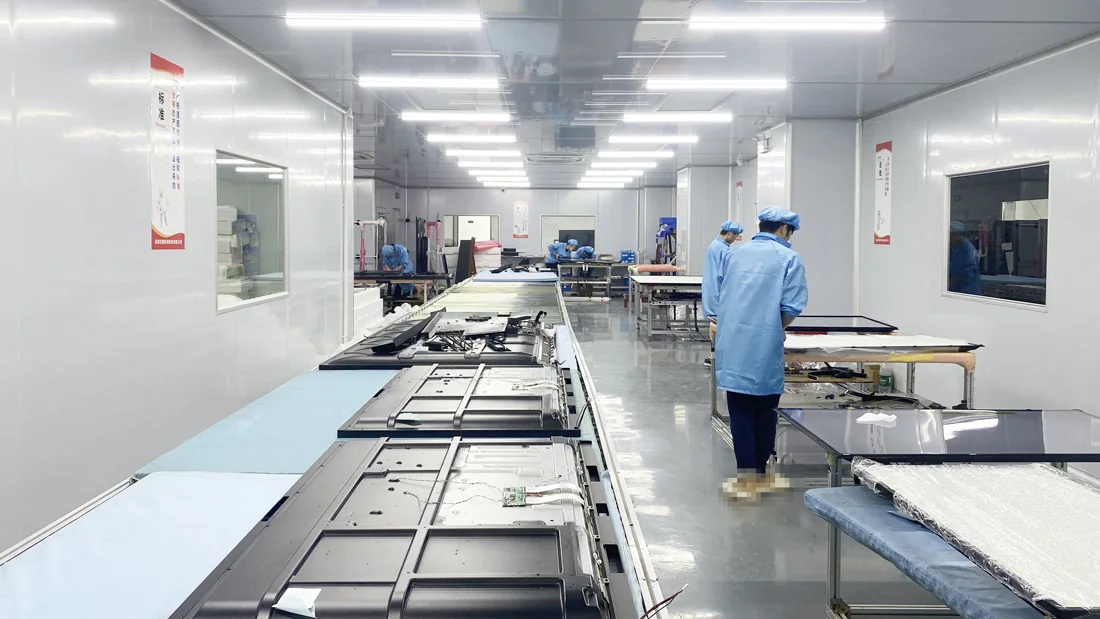
LINGHUFOX’s manufacturing workflow describes component checks, assembly, functional testing and packing. Ask how the approved configuration reference will be associated with those stages for the actual order. A photograph of assembled cabinets cannot by itself identify the driver or peripheral revision inside each unit.
Connect the build record to the product serial number or another agreed traceable identity. Include the same reference in the packing list and handover. When the customer later reports a fault, support should be able to determine which instructions and replacements apply without asking the operator to open the cabinet and read every component label.
An approved operating-system and application image may be common to several kiosks, while site identity, network configuration and accounts differ. Ask the integrator how those layers are applied and verified. Do not clone sensitive credentials or duplicate a device identity merely to make installation quicker. The organization’s authorized deployment process should define the correct approach.
Keep the image revision and the site configuration recorded independently. A field issue may come from an outdated application or from an incorrect location setting. Clear records help the support team distinguish them and avoid replacing hardware when the real problem belongs to the configuration.
A field replacement should identify the failed unit, replacement component and approved installation procedure. Record whether any driver, firmware or application change was required. Authorized technicians should follow the relevant service instructions; ordinary site staff should not be expected to modify internal hardware or payment devices to maintain consistency.
The software-handoff guide provides a useful companion for application ownership. Keep the integration team informed when the hardware supplier proposes a new revision, and keep the hardware supplier informed when the application requires a new interface or platform. Neither side should learn about the change only after a field replacement fails.
For a repeat order, compare the current proposal with the accepted configuration and its change history. This allows practical component evolution without losing traceability. The value of an OEM relationship is not an unsupported promise that every part remains available forever; it is a clear process for evaluating and supporting meaningful changes.
Not necessarily. Mechanical fit, electrical requirements, device identity, drivers, application interfaces and service procedures can all differ. Ask for a documented substitution proposal and repeat the affected checks. The approved combination should be identifiable beyond its external appearance.
No. Detection identifies only part of the relationship. The application may require a particular driver, SDK, service, interface mode or data format. Demonstrate the required workflow on the actual configuration and retain the versions used. Do not replace that evidence with a screenshot showing that the operating system recognizes a device.
Connect each unit to the approved hardware and software revision, relevant change notices and acceptance record. Keep the correct service instructions and replacement rules available. That traceability lets the buyer support both earlier and later builds without assuming that one branded cabinet always contains an identical system.
