


Get quote
Get Free Consultation!
We are ready to answer right now! free consultation.
A private-label display is ready for approval only when its physical identity, startup experience, documentation and support record agree. An OEM interactive whiteboard manufacturer may offer logo and software customization, but a logo proof alone does not define what the customer will receive. Approve the complete branded configuration, then use that record to control production changes and repeat orders.
LINGHUFOX describes OEM and ODM support for appearance, logo, software and interfaces. The practical task for a distributor is to turn those categories into specific deliverables. This guide addresses brand approval and localization rather than claiming that every requested modification is already available. Feasibility, permissions, cost and delivery timing should be confirmed for the selected board and target market.
Branding work starts with an exact base model. A distributor’s product name can cover several configurations, but the production record must distinguish them. The same diagonal can be sold as a standard teaching board, a camera-equipped collaboration model or a system with an additional computer. Keep the manufacturer’s reference and the distributor’s reference together in the approval file.
The standard 65-inch board lists 4K resolution, infrared touch, an Android platform and several front connections. The 65-inch camera version describes Android 14 with 8 GB RAM and 128 GB storage. Those are different starting configurations. Do not approve software artwork or a quick-start guide on one and assume the result transfers unchanged to the other.
For the 86-inch OPS model, the published Windows 11 Pro computer configuration adds another identity to manage. Record what appears on the display’s own startup screen and what appears when the computer starts. Decide which names belong in the system information, shipping documents and support instructions. The two computing environments should not be presented as one undifferentiated firmware version.
List each requested change and the place where it appears. Include the enclosure mark, startup artwork, wallpaper, application shortcuts, language defaults, remote or pen markings, carton artwork and printed guide where relevant. Identify whether each change is required, optional or subject to feasibility review. This makes the request actionable without implying that every item is part of a standard customization package.
The software-scope guide explains why platform development and application supply need separate ownership. Apply that distinction to branding. A customized startup image is not the same deliverable as a redesigned launcher, a licensed teaching application or a managed device service. Give each work item its own acceptance evidence.
Supply editable artwork and an agreed reference for its use. State the proposed placement and size rather than sending a logo with an instruction to make it look attractive. Ask the manufacturer to confirm the marking method and the surfaces that can accept it. A proof should show the relation to the bezel, controls, camera, ventilation and existing identification labels.
Do not cover service labels, safety information, air openings or sensors with decorative artwork. The manufacturer should review proposed changes against the exact mechanical design. A clean front photograph is only one view; the rear label and the accessory identification also matter to technicians who must recognize the unit after installation.
A distributor may prefer a short commercial model name, while the manufacturer uses a more detailed production reference. Keep a mapping between them. The support team should be able to identify the underlying configuration from the customer-facing label or serial number. Otherwise, two products carrying the same private-label name can require different replacement parts without an obvious way to tell them apart.
Review the carton proof independently. It should match the agreed product name, quantities, configuration reference and shipping requirements. Confirm who approves any destination-specific label content. This guide does not determine required regulatory markings, importer details or local-language statements. Obtain the applicable requirements from the responsible market-compliance adviser and have the final proof checked before production.
A translated home screen does not establish that the whole teaching workflow is localized. Follow a realistic path: start the board, open the writing tool, select an input, adjust a setting, save work and return to the normal start state. Record any menu, dialog or message that appears in the wrong language. Check the approved configuration rather than a presentation mockup.
The 75-inch camera board’s description includes wireless casting, OPS support and dual-system switching. For an OEM version of that 75-inch collaboration model, identify which screen belongs to which software component. A message from a third-party casting application may have a separate translation and release process from the display’s own settings menu.
Ask the intended users to review practical terminology. A literal translation of a source selector, writing tool or save action can be confusing in a classroom. Keep a terminology list shared by the software proof and the quick-start guide. When a label changes, update both together so the printed instruction still leads to the correct control.
Keep application availability and licensing out of the artwork approval decision. The Android compatibility overview distinguishes using the open-source platform from meeting compatibility requirements. Android’s mobile-services explanation also states that those services are separately licensed. A language option or Android version on a product page does not establish entitlement to a particular application bundle.
List the applications required by the distributor’s customers and ask who supplies each licence, account and update. Check the intended market and the exact model. Do not place third-party certification marks or software logos on the product merely because an application can be opened during a demonstration. Brand permissions and product claims need their own verified approval.
Record the recovery state as part of localization. After an authorized reset, does the display return to the agreed language and startup experience, or to a different default? Confirm the supported reset procedure and what it removes. This is an acceptance question to test on the sample, not a claim that every LINGHUFOX configuration provides the same recovery customization.
| Proof | Review focus | Evidence to retain |
|---|---|---|
| Physical product | Logo, model identity, labels and unobstructed controls | Approved artwork and sample photographs |
| Software experience | Startup, language, application identity and reset behaviour | Build identifier and recorded task sequence |
| Documents | Model references, connection diagrams and support route | Approved manual and carton revisions |
Ask the language reviewer to inspect the actual interface at its intended scale. A translated label can be linguistically correct yet become difficult to use when it is clipped, wraps unexpectedly or overlaps an icon. Check settings dialogs and confirmation messages as well as the home screen. Approve the result on the sample rather than relying solely on a spreadsheet of translated strings.
Include a representative file name and the customer’s ordinary input method in the review. Where the workflow involves accented characters or another writing system, confirm the approved application can open, name and save the intended material correctly. These are configuration-specific acceptance questions, not a claim that every language and application combination has already been validated.
Record remaining translation exceptions explicitly. If a third-party application retains some untranslated text, the distributor should know that before preparing its customer material. The quick-start guide can then describe the actual control accurately, or the project can require a different approved application. An unresolved language issue should not disappear from the record when the enclosure artwork is signed off.
Write instructions from the accepted sample, not from a generic brochure. The standard LINGHUFOX board pages identify front HDMI, USB, touch and Type-C connections, but a private-label guide should identify the exact approved connection route. A port-shaped illustration is insufficient when the user needs to know which cable carries the picture and which connection returns touch.
Include the accessories actually supplied. If the order includes a remote, pen or antenna, the illustrations and names should match those items. Optional stands and computer modules should be identified as optional unless they belong to the particular package. The reader should not search the carton for an item that appears in the manual but was never included in the order.
Use separate instructions for the teacher and the installer where their tasks differ. Teachers need a clear startup and lesson workflow. Installers need the current mounting and connection documentation, while service personnel need the traceable model and approved service route. Combining everything into a promotional booklet can obscure the information each person needs at the moment of use.
Check the support details printed on the product and documents. Decide whether the end user contacts the distributor, a local service partner or the manufacturer, and make that route consistent. Do not print personal credentials or shared administrator passwords. Technical access information belongs in the authorized service process, not on packaging or a classroom quick-start card.
Save a reference sample record containing model, hardware revision, software build and all approved proof versions. Agree which changes require notification before production. Examples include a different computer module, a changed camera assembly, a new remote or a revised startup application. The important point is whether a change affects the promised user experience or support instructions.
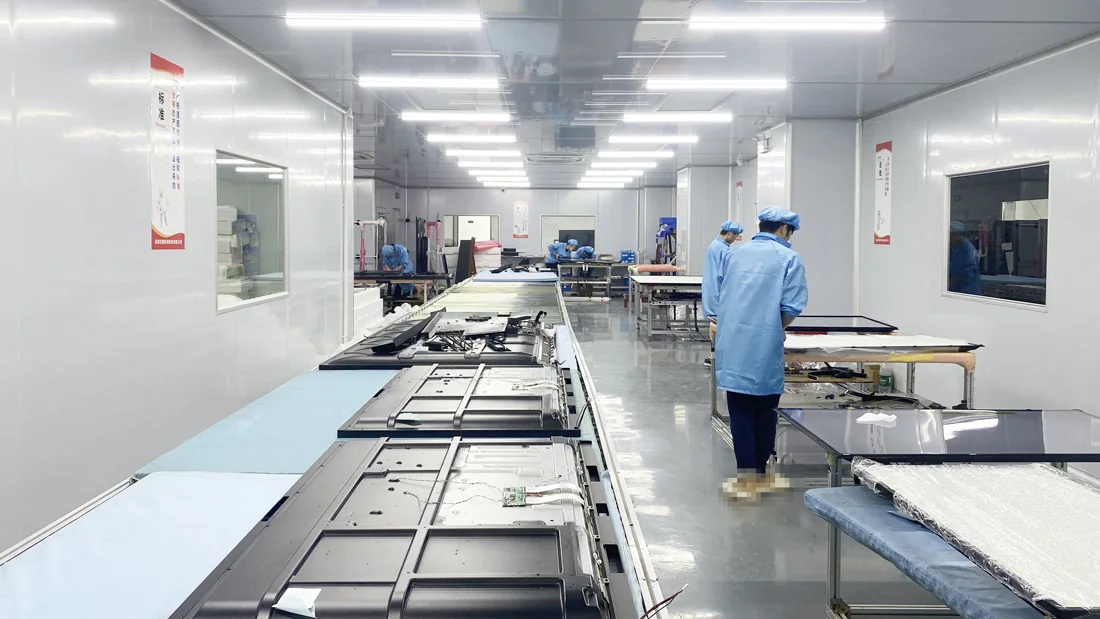
LINGHUFOX’s manufacturing workflow includes assembly, functional checks and packing. Ask how the approved branding record will be referenced at those stages. A production check should be able to identify the correct artwork and software revision, rather than relying on a project nickname or an earlier email attachment.
For a repeat shipment, compare a representative unit with the current approval record. Review the outside label, startup, system information, selected user task and included documents. Use the teaching and meeting-room brief to keep the intended application visible when deciding whether a proposed change is acceptable.
Maintain a short exception log. Record the change, affected serial range, approving person and any document update. A controlled exception is better than either refusing every practical revision or accepting an unrecorded substitution. The distributor can then explain what was delivered and provide the correct support material without reconstructing decisions from an old conversation.
No. The manufacturer also needs the approved model, placement, marking method and any associated label or software requirements. Review the actual sample and document the accepted revision. A logo file identifies the artwork, but it does not establish how that artwork should appear on a particular bezel, carton or startup screen.
Only where the instructions genuinely match the delivered configurations. Standard, camera-equipped and OPS models may have different controls, software and accessory arrangements. Use shared sections where appropriate, but clearly identify model-specific instructions. The goal is fewer documents without creating instructions that lead users to a control or feature their board does not have.
Compare hardware identity, software build, branding proofs, accessories and support documents with the approved record. Ask about substitutions before shipment. Repeatability is the ability to recognize and approve meaningful changes, not an assumption that a familiar product name guarantees identical components and software across every production batch.
