


Get quote
Get Free Consultation!
We are ready to answer right now! free consultation.

Does “customized” mean a new logo, a different cabinet, or a display that behaves differently when it is switched on? These are not equivalent requests. An OEM digital signage manufacturer should help a brand owner or integrator define the change before approving cost and production. Start with a real product configuration, identify what will change, and agree what must be demonstrated again. A visual mock-up cannot approve a new power arrangement, input path or application workflow.
LINGHUFOX’s OEM/ODM services describe customization of logos, casings, software and interfaces. That provides a basis for a project discussion, not a promise that every proposed alteration is feasible. A retail brand considering the 55-inch floor-standing display, for example, should separate a branding request from a request to change the cabinet’s proportions or service access.
The first useful design conversation identifies the affected layer. Artwork changes can be reviewed visually. Enclosure changes need mechanical information. Interface changes require the actual connection and signal path to be understood. Software changes need a demonstration of behaviour on the selected hardware. Several layers can change together, but they should not disappear into one line described simply as “custom version.”
| Requested alteration | What it changes for the buyer | Approval should address |
|---|---|---|
| Branding on the 55-inch freestanding cabinet | Appearance and brand identification | Artwork position, finish and legibility on the actual surface |
| Revised freestanding enclosure | Footprint, component arrangement and service access | Drawings, ventilation and the completed cabinet arrangement |
| External-player input on the 55-inch wall display | The source of the displayed content | Included input, cable access and a working signal demonstration |
| Application changes on the 21.5-inch rotating touchscreen | What a user can do on the screen | Interaction, orientation, startup behaviour and support scope |
This separation also makes quotations easier to compare. If one offer includes only artwork application and another includes a revised enclosure, the two are not equivalent even when the screen size is the same. Ask the supplier to identify the starting product, the requested deviations and any work that remains outside the quotation. That is more useful than comparing an unexplained customization charge.
Imagine a retailer that likes the 55-inch floor-standing display but wants its own logo and a cabinet that looks narrower in the entrance area. The logo request concerns the visible treatment. The narrower-cabinet request may affect the physical arrangement around the screen and the equipment behind it. Approve those requests separately rather than assuming that one attractive rendering resolves both.
The listed 55-inch model has a freestanding base and built-in cooling. Preserve the requirements associated with those features when reviewing the proposed enclosure. Ask the supplier to show how the altered design accommodates its components, ventilation and access. Do not reduce an opening or conceal a service panel solely to produce a cleaner front view without obtaining the supplier’s review of the resulting arrangement.
For the logo itself, provide the actual artwork and identify its intended position on the cabinet. Review its scale relative to the visible display area and the surface where it will be applied. A logo that appears balanced in a flat drawing may read differently on a tall freestanding product. An approved visual reference should identify the surface and finish, rather than leave those decisions to an ambiguous description such as “same as our brand.”
The 55-inch wall-mounted display lists HDMI input as optional. This makes it a useful example of an interface decision that should be settled before the order is treated as final. A buyer who intends to connect a separate player needs the input included in the offered build, not merely mentioned among possible configurations.
Consider an integrator that initially accepts the built-in playback demonstration but later decides to use the customer’s existing external player. The screen may look unchanged, yet the working system is different. Confirm the selected input, the physical cable route and the intended source before approving the revised offer. The original demonstration cannot establish the performance of a signal path it did not use.
Send a representative media file or presentation to be tested through that intended route. Ask the supplier to show the exact configuration proposed for production, including the way the screen starts and selects its source. Do not infer compatibility from the connector name alone. The practical question is whether the selected player, cable, input and display produce the agreed result together.
Keep optional features identifiable in the commercial description. If the external-input option is omitted from a later order line, an installer may receive a visually familiar display that cannot be used as planned. The approved configuration should therefore specify which functions are present, not simply which physical product family the unit belongs to.
The 21.5-inch rotatable touch smart display lists Type-C functionality while explicitly excluding charging. A buyer asking for “USB-C support” should state the intended task: connecting a peripheral, carrying a signal, or supplying power. Those requests should not be treated as interchangeable just because they refer to the same connector shape.
The USB Implementers Forum publishes separate information for the Type-C cable and connector specification and USB Power Delivery. For an OEM project, document the required function and verify the offered implementation. The connector’s presence alone is insufficient evidence of that function. This does not mean that the listed LINGHUFOX display provides USB Power Delivery or that charging can be added without further engineering review.
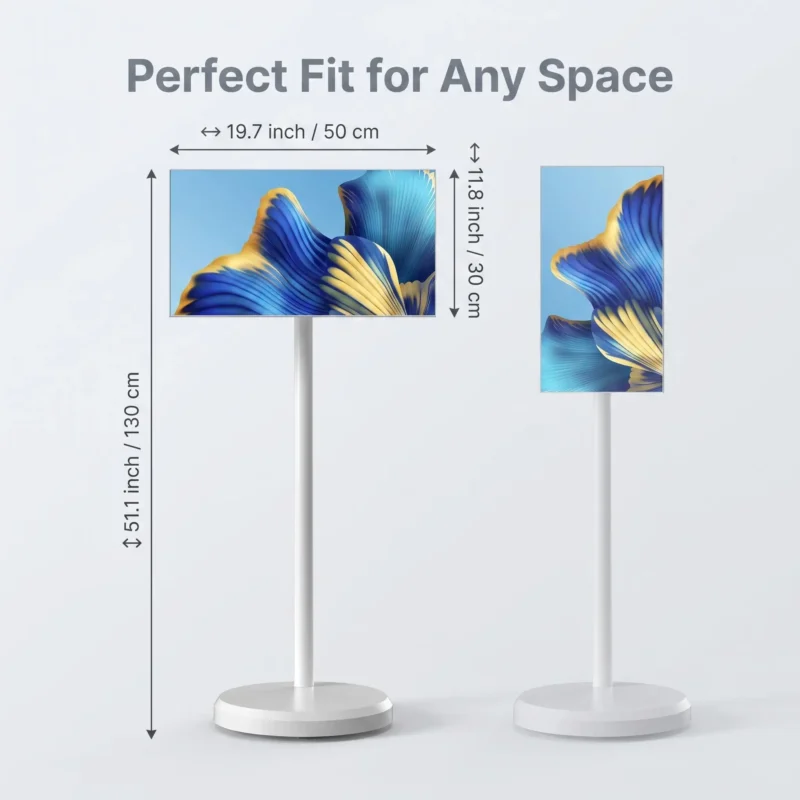
The 21.5-inch rotating model lists a 12 V, 2 A power adapter and a 12 V, 6,000 mAh battery. These are concrete details to preserve in the custom-build discussion. They are not a reason to substitute an unverified adapter or promise a particular operating duration. If the buyer wants different branding on the equipment and its accessories, the supplier should still be able to identify the actual electrical configuration and the power equipment included with that version.
In a private-label hospitality project, the person approving the cabinet logo may not be the person preparing the operating instructions. Give both teams the same approved power description. The instructions should not tell staff to charge through Type-C when the product listing expressly excludes that function. Show the supplied power connection and clarify the intended routine with the supplier before the branded instructions are finalized.
Review accessory substitutions with the same discipline as visible design changes. If an alternative adapter, cable or peripheral is proposed, ask the supplier to confirm its compatibility with the selected display and explain any change to the agreed documentation. The fact that an accessory fits a connector does not establish that it is the approved accessory for the delivered kit. Keep the actual supplied part identifiable for support and replacement.
For sample approval, record the rotating display and the power equipment used in its application demonstration. If the production kit differs, identify the changed component and decide which checks must be repeated. A new logo can leave the approved operating setup intact; a substituted adapter requires its own compatibility decision.
For the 55-inch freestanding display, apply the same principle to the base and connection access rather than copying the rotating model’s electrical details. Its cabinet and cooling arrangement present different review questions. The common discipline is traceability; the actual checks must follow the product that was customized.
The rotating model’s published Android 12 platform, 4 GB RAM, 64 GB storage and ten-point capacitive touch describe a useful hardware starting point. They do not prove that a customer’s application is ready for the intended experience. A showroom presentation, a staff-assisted product selector and a public information interface can require different behaviour even when all three run on the same screen.
Write the intended interaction as a short sequence. For a showroom selector, a visitor might open a product family, compare a few options, return to the first screen and hand the display to another visitor. Ask what the application should do after inactivity and how staff should recover from an interrupted session. These are proposed requirements to agree, not existing functions to claim without a demonstration.
Orientation deserves its own trial on a rotating display. The Android configuration-change documentation identifies screen orientation and display size as changes an application must handle. Check that controls remain reachable and labels remain readable in each orientation required by the project. A portrait video can appear correctly while a third-party application remains locked to a different layout. A demonstration of mechanical rotation does not establish the application’s behaviour.
Assign responsibility for the application and its future changes. Establish whether the OEM scope includes installation, configuration, interface development or only hardware testing. If the customer’s developer owns the software, give that developer the confirmed hardware and operating-system configuration. A successful pilot is much easier to reproduce when each party knows which part of the system it is expected to maintain.
The 18.5-inch stretched LCD display is intended for narrow retail messaging and information spaces. A custom project using this format should begin with the available opening and the content that must fit. Asking for the same artwork used on a conventional screen may create a poor result even if the file itself can be displayed.
Obtain the active area and native pixel dimensions for the selected stretched configuration before setting the artwork canvas. Then decide which message deserves that limited vertical space. A shelf promotion may need one short offer and a product image, while a queue-information position may prioritize a direction or status message. The content decision should respond to the actual display shape rather than force an unrelated layout into it.
If the stretched screen will sit inside a customized fixture, have the fixture designer and display supplier review the same drawing. The visible opening, fixing arrangement and service access should be agreed together. A finished-looking front panel is not sufficient evidence that the screen can be installed, connected and reached for maintenance in the proposed enclosure.
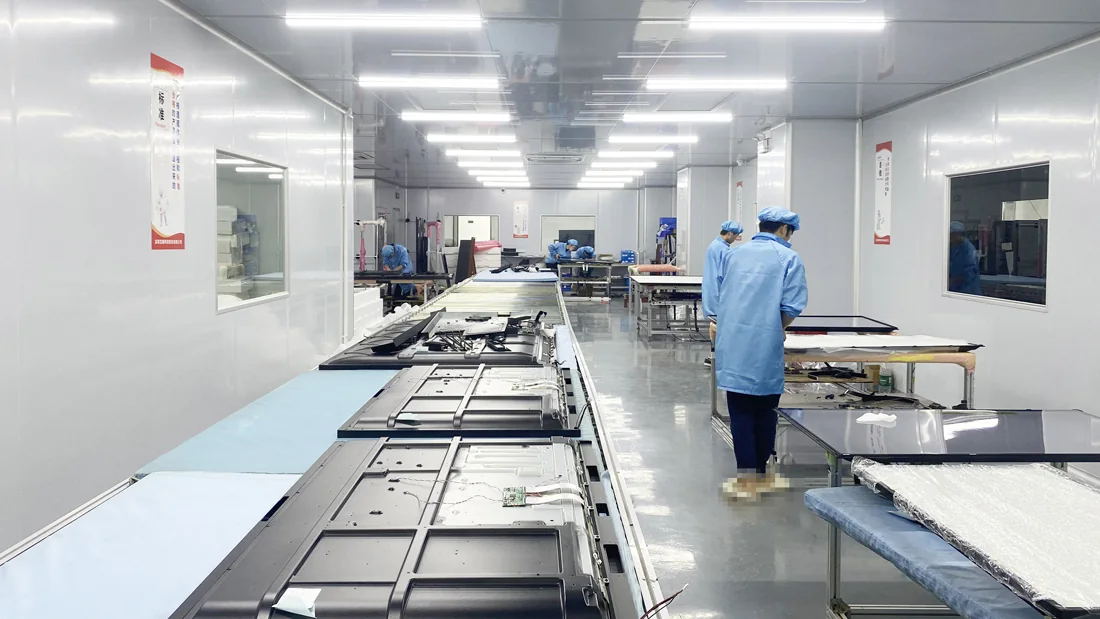
LINGHUFOX’s described production process includes assembly, functional checks, aging and packing. Use those stages to identify when your customized features should be reviewed. A new cabinet treatment can be inspected on the completed enclosure; a revised interface should be demonstrated through the intended connection; a software adjustment needs a repeatable user test on the agreed configuration.
Keep the 55-inch totem’s visual approval separate from the wall display’s functional approval. The retailer may accept the totem logo while the integrator is still checking the optional HDMI input on the wall-mounted unit. Record both decisions against their actual models. The approved logo does not release the unresolved wall-display configuration, even when both products carry the same private label.
A narrower 55-inch totem enclosure also needs a reviewed packing arrangement, particularly if the base or cabinet protection changes. Identify the base belonging to that version so it is not mixed with an unmodified cabinet at receiving. For the rotating display, keep the approved adapter identifiable in the accessory package. Neither custom kit should inherit a standard packing description without the supplier confirming that it still applies.
Have the supplier and the buyer’s relevant technical adviser review whether the altered 55-inch cabinet or substituted rotating-display adapter changes the compliance evidence needed for the destination. The review concerns the final offered configuration, not the brand artwork alone. A certificate displayed for another enclosure or power arrangement is not automatic coverage for these modified kits.
The useful final approval is specific: this cabinet treatment, this input arrangement, this application behaviour and this packing configuration. Keep a visible record of any feature that is not included. A specific OEM brief gives the OEM digital signage manufacturer enough information to evaluate the design honestly—and gives the buyer a finished product that can be recognized as the version actually ordered.
