


Get quote
Get Free Consultation!
We are ready to answer right now! free consultation.
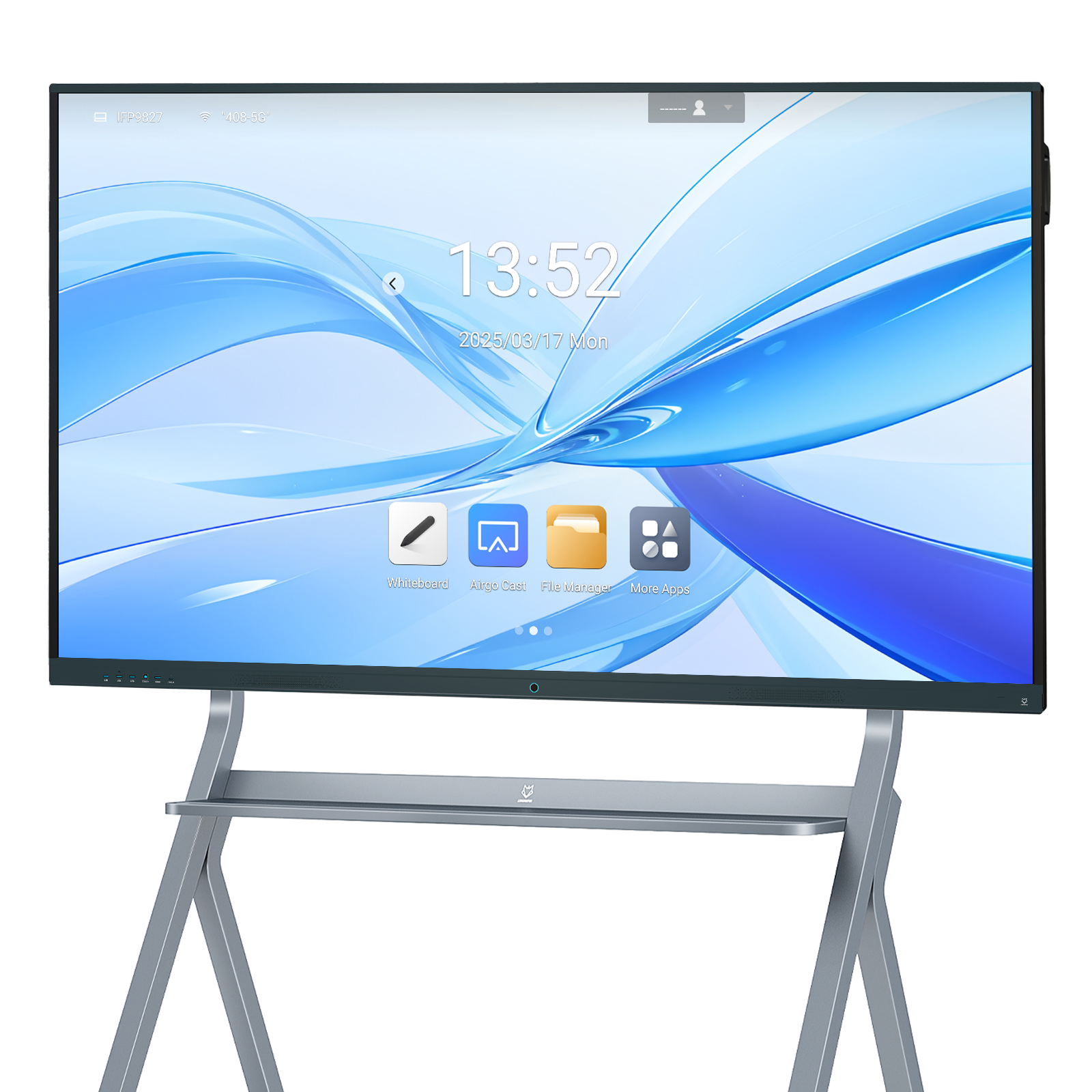
An interactive whiteboard manufacturer should help a campus buy a manageable group of displays, not simply a list of screen sizes. A useful order separates the display, computing platform, camera, accessories and room assignment, then keeps that configuration identifiable through production, packing and installation. This matters when small teaching rooms, ordinary classrooms and larger collaboration spaces need different hardware but share one support team.
The practical starting point is a room schedule with a small number of approved configurations. LINGHUFOX offers standard whiteboards, camera-equipped models and an 86-inch OPS configuration. Those choices should not be collapsed into one description such as “4K smart board.” The buying decision is about what teachers receive, what technicians maintain and which changes require approval before a repeat shipment.
A campus inventory often begins with room names. Add the task performed in each room: handwritten explanation, shared documents, remote participation or a combination. Record the farthest occupied seat, the writing position and the existing computer arrangement. These observations explain why a particular model belongs in the order. They also prevent a substitute chosen for availability from silently changing the intended teaching experience.
The 55-inch standard board and 65-inch standard board both list 3840 × 2160 resolution, infrared touch and support for 20 touch points on a connected PC. Their published Android platform and front HDMI, USB, touch and Type-C connections make them useful candidates for an installation comparison. That common description does not prove that every application or cable arrangement behaves identically.
Use the 55-inch unit as a candidate where the group and viewing distance are smaller. Evaluate the 65-inch unit where a larger shared writing area is useful. Do not assign a room capacity from diagonal size alone. Put the actual lesson slide and a handwritten example on the candidate screen, then judge them from the seats that will be used. Room fit remains a project decision, not a capacity claim attached to the model.
The 65-inch camera model describes an Android 14 configuration with 8 GB RAM, 128 GB storage and a camera with a 4K sensor. The standard 65-inch specification instead lists Android 11 and configurable memory and storage. Put these variants on separate order lines. A camera requirement can therefore change more than the appearance of the top bezel; it changes the platform that the campus must evaluate and support.
The 75-inch camera board is another candidate for shared presentations and remote collaboration. Its published description includes wireless casting, plug-in OPS computing and dual-system switching. Ask which of those capabilities are enabled in the proposed configuration and which require an additional module, application or licence. A feature listed as supported is not automatically an item included in the shipment.

The 86-inch board with OPS lists 4K resolution and a Windows 11 Pro computing configuration with 16 GB RAM and 256 GB storage. It also describes a camera, an eight-microphone array and two 15 W speakers. Keep the computer identity beside the display identity. The campus needs the exact processor, operating-system supply, recovery method and application approval for the quoted unit, not just confirmation that an OPS slot exists.
A configuration register is a controlled record of what may be built and delivered. Keep it short enough that purchasing, production and local installers can all use it. Each approved combination receives an internal configuration code. That code identifies a screen model plus the agreed hardware, software and accessories; it does not replace the manufacturer’s own model or serial number.
| Record field | What to enter | Why it matters |
|---|---|---|
| Display variant | Exact standard, camera or OPS model | Prevents substitution by size alone |
| Compute configuration | Operating system, RAM, storage and processor where applicable | Connects the device to the approved applications |
| Connection route | Approved input, touch connection and cable set | Lets installers reproduce the sample setup |
| Accessories | Bracket or stand, pens, remote and power lead | Separates included items from optional items |
| Destination | Building, floor, room and receiving reference | Keeps mixed cartons correctly assigned |
| Revision | Approval date and authorized changes | Protects the specification on repeat orders |
The standard 55-, 65- and 75-inch pages list wall-mount brackets, remotes, styluses, antennas and power cables. Use those lists to prepare the first comparison, then have the actual order confirm quantities and versions. A shared description such as “accessories included” is insufficient when one room needs a mobile stand and another has an existing wall installation. Mounting hardware must be checked against the exact display and supporting structure.
Keep commercial approval separate from technical approval. A revised price may reflect a different storage capacity, a changed computer module or an excluded mounting accessory. Require the revised quotation to identify that difference against the configuration register. Otherwise, the finance team can approve a number while the technical team unknowingly receives a different system.
One impressive demonstration cannot validate every combination in a mixed order. Choose sample configurations according to the differences that could affect use. A standard Android board, a camera-equipped board and a Windows OPS board deserve separate checks when the campus intends to buy all three. A second diagonal may need a physical-fit check even when its classroom software is similar.
Begin with the existing lesson-based whiteboard acceptance guide for the teaching workflow. Add a configuration comparison sheet showing the sample’s labels, system information, connections and accessory contents. Take photographs of the tested setup. The purpose is not to produce attractive demonstration footage; it is to give the receiving team enough evidence to recognize the approved build.
Run the same selected lesson on each relevant platform. Open the working file, annotate it, switch to an external source, return to the lesson and save the result through the school-approved process. Record any difference in the steps required. Treat an unexpected behaviour as a question to resolve before production rather than assuming it will disappear when more units arrive.
Software-management requirements belong in this stage as well. For a Windows OPS deployment, discuss enrolment with campus IT. Microsoft’s automatic-registration documentation makes clear that registration depends on device and management prerequisites. It should not be presumed from the presence of Windows on a quotation. Confirm the exact deployment route with the organization that will manage the computers.

LINGHUFOX’s manufacturing and project-support information describes component testing, assembly, functional checks, whole-machine aging and packing. For a mixed campus order, ask the production update to relate those steps to each approved configuration. A general photograph of a testing area does not identify which variant was tested or what software and accessories were attached.
The shipment record should connect carton number, display serial number, configuration code and room allocation. Ask for a packing list that preserves these relationships. When the standard 65-inch board and the camera-equipped 65-inch board arrive together, receiving staff should be able to distinguish them without unpacking every unit. External labels must remain understandable after the cartons have been placed on a pallet.
Confirm the packed dimensions, gross weight and handling instructions for the actual variants. Do not use the standard model’s package figures for a camera or OPS combination without confirmation. A stand shipped separately adds another receiving dependency. Schedule delivery so the room can receive the display, mounting components and installation team together rather than storing an unprotected panel while a missing accessory is located.
Mark exceptions directly on the room schedule. A room using a teacher-owned laptop may need a different cable arrangement from a room that always uses its installed OPS computer. A camera room may need a different account policy from a room used only for local writing. Grouping these exceptions makes it possible to approve a small set of repeatable configurations rather than allowing every installer to improvise.
Check physical access independently from electronic compatibility. The standard 65-inch specification lists a gross packed weight of 46.5 kg, while the standard 75-inch listing gives 64.6 kg. These are published figures for those listed configurations, not a lifting instruction or confirmation of every production revision. Have the supplier confirm the current packing record, and have a qualified installation team assess the actual route, handling equipment and supporting wall.
Finally, assign an owner to each unresolved point. An unclear computer licence belongs with purchasing and IT; an uncertain mounting arrangement belongs with the qualified installer; an unidentified production revision belongs with the manufacturer. Set the approval condition in writing. An exception can then remain visible without holding up unrelated preparations or being mistaken for an accepted change to the entire campus order.
Give the school one handover entry per installed unit. Include the room, display serial number, compute identity, approved connection route and the date of acceptance. Link the correct manual and recovery instructions. Keep passwords out of ordinary packing lists and teaching guides; the school’s designated administrator should manage account access through its approved process.
A spare unit is valuable only when the support team knows which rooms it can replace. Document whether replacing the screen also changes the computer, camera or software image. For the accessory and service boundaries, use the classroom package comparison alongside the final order. Confirm warranty coverage, replacement approval and responsibility for local removal before a failure interrupts teaching.
For repeat purchases, reopen the register instead of copying an old purchase-order description. Ask whether the supplied board revision, operating-system build, included cables or accessories have changed. Evaluate changes that affect the classroom workflow before mixing new units with the installed fleet. Consistency means a controlled change process, not a promise that components will remain unchanged forever.
No. Use the actual viewing and writing tasks to select a suitable size, then standardize the parts of the workflow that can be shared. A smaller seminar room and a larger teaching room may need different displays. The useful common standard is an approved file, connection and support process, supported by clear model-specific records.
Keep them separate unless the proposed configurations have been compared and approved together. The published 65-inch examples differ in platform description as well as camera provision. List the exact model, operating system, memory, storage and included accessories on each order line. This makes a replacement or substitution visible to both purchasing and IT.
Approve the configuration register, representative samples, mounting information, packing identities and receiving plan. Confirm the production and shipping schedule against those approvals rather than assuming a catalogue description establishes a firm lead time. The campus is ready when it can recognize, place and support every delivered unit without guessing which configuration belongs in each room.
