


Get quote
Get Free Consultation!
We are ready to answer right now! free consultation.

The second order is where a digital signage supplier’s configuration discipline becomes visible. A pilot display may work well, but a repeat shipment must still match the approved screen, player, software and installation requirements. Keep the pilot as a documented reference and ask what has changed before placing the next order. Reordering by a familiar product photograph is not enough.
This approach is particularly useful for distributors and multi-site operators buying LINGHUFOX displays over several deliveries. The range includes Full HD and 4K floor-standing formats, wall-mounted displays and more specialized shapes. A repeatable supply process should preserve the identity of each configuration while allowing explicitly approved changes, rather than assuming every model in the same family is interchangeable.
A baseline is the agreed reference against which later equipment is compared. The NIST configuration glossary describes a formally reviewed specification set used for future builds and controlled changes. Here, that idea is applied as a practical purchasing record; it is not a claim that a display or rollout has received a NIST certification.
Record the actual pilot unit’s model, serial number, hardware revision where provided, operating-system build and player application. Add the approved memory and storage configuration, orientation and connection route. Use photographs of labels and the relevant system information to support identification, while keeping passwords and private network details out of ordinary purchasing documents.
Retain the campaign used for acceptance and the conditions that mattered. Include the content dimensions, file types, publishing route, schedule and any agreed offline behaviour. A sample approval that says only “picture acceptable” does not establish the operating system that the next delivery is expected to reproduce.
A showroom may use a different network, player account or external computer from the customer’s destination. Identify which elements belonged to the demonstration and which became part of the approved supply. If the pilot required a temporary accessory, resolve whether it will be included in every order or supplied locally before treating the demonstration as a standard configuration.
Use the manufacturer evidence checklist to connect the pilot with its production and supply records. The useful reference is not simply a sample kept in a room; it is a sample whose configuration and acceptance decisions can be understood by someone who did not attend the original demonstration.
The 32-inch floor-standing display lists a Full HD 1920 × 1080 panel and an Android 9.0 playback configuration. The 43-inch floor-standing model describes 4K output, cloud-based management and an optional interactive touch arrangement. Those differences should remain visible in the order record.
Do not approve the larger model as a direct substitute solely because it belongs to the same display family. The content canvas, player requirements, physical installation and optional functions can differ. Ask the supplier which parts of the pilot evidence transfer and which require a separate evaluation. A broader range can be useful without being interchangeable.
The 55-inch floor-standing display describes a slim frame, indoor commercial use and built-in cooling. The 75-inch model is presented for larger welcome, promotion and information points. Record the approved application of each rather than combining them into a generic “commercial screen” line that loses the installation requirement.
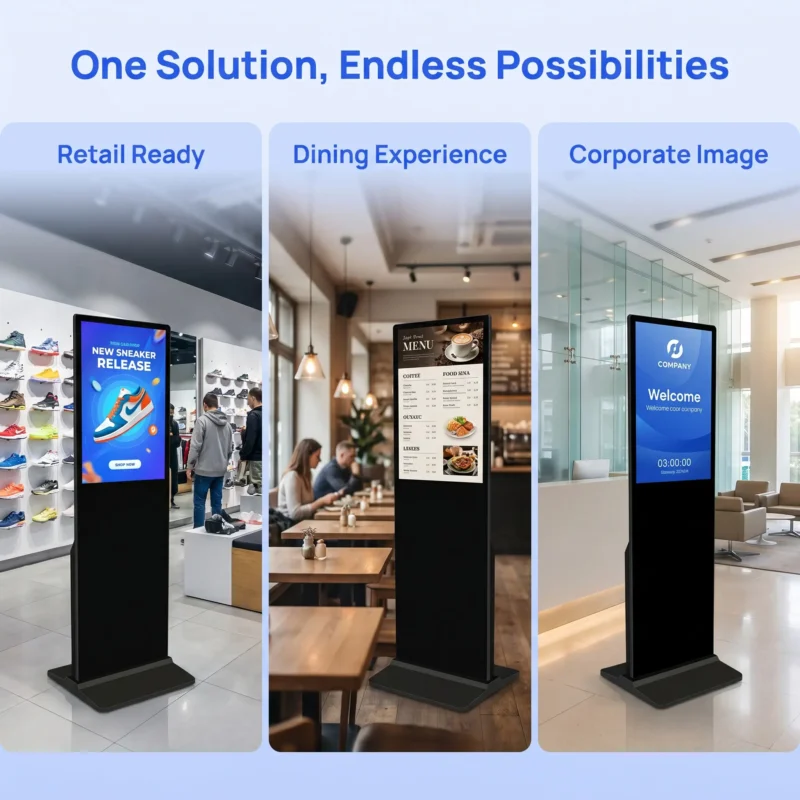
A touch option changes the buyer’s acceptance questions. The application, touch interface, user controls and connection route need checking in addition to the displayed image. If the pilot was non-interactive, it cannot prove the behaviour of a later touch-enabled order. State whether touch is included on each order line and identify the software used for its acceptance.
The existing display-versus-transaction distinction is useful here. A screen that accepts a touch is not automatically a payment terminal or a complete self-service system. Do not let a repeat-order description gradually acquire functions that were never part of the approved configuration.
A change notice should identify what is changing, why it is proposed and which order or serial range is affected. Ask whether it changes mechanical fit, connections, playback, software support or service parts. A message stating that a component is “equivalent” is not enough when the buyer has no evidence about the functions that matter to the project.
Keep the comparison focused on the required result. A different player board may be acceptable if the complete configuration still meets the approved workload and support requirements. It may be unsuitable if it requires a new application licence, changes an interface or breaks the local recovery process. The supplier and buyer should agree which evidence resolves that question.
| Proposed change | Potential project effect | Suggested approval evidence |
|---|---|---|
| Player board or operating-system build | Application, decoding or management differences | Exact build identity and affected workflow tests |
| Panel or active resolution | Content scaling and image presentation | Reference campaign on the proposed screen |
| Enclosure or base | Installation, cable route or service access | Current drawings and qualified installation review |
| Included accessories | Receiving and local setup differences | Revised packing and accessory list |
| Management software or licence | Accounts, renewal or operating-process changes | Revised software scope and owner approval |
Assign an approval owner rather than relying on silence. Purchasing can confirm commercial terms, while the technical or operations team approves the affected workflow. Record the accepted change and any updated instructions. This keeps a price revision from silently becoming a technical approval that nobody intended to give.
Ask for notification of changes that affect future support even when the visible picture remains similar. A replacement power supply, connector arrangement or player revision may require a different service part. The end user may never notice during normal playback, but the support team needs the distinction when it diagnoses or replaces a unit later.
A repeat sample does not always need to repeat every early project discussion. Start from the approved baseline and identify the changed elements. Recheck the tasks that depend on them, while preserving the evidence for unchanged requirements. This creates a manageable approval process without treating a familiar enclosure as proof that nothing important has changed.
If the player or software changes, run the approved campaign through normal startup, publishing and recovery. If the screen format changes, inspect the actual content dimensions and readability. If the enclosure changes, have the installation and service arrangement reviewed. Keep the acceptance result attached to the proposed revision, not merely to the commercial product name.
A changed campaign can make hardware comparisons difficult. Keep the accepted reference files available and record their versions. When new content is necessary, explain why it differs and which conclusion it can support. A successful test with a simpler video should not be reported as validation of the original campaign if that campaign used different layouts or live information.
Document any limitations rather than converting a short demonstration into a long-term reliability claim. A proposed sample exercise can identify configuration problems, but it does not establish years of service life or a measured failure rate. Ask for the relevant manufacturing and service evidence separately where the purchasing decision requires it.

Decide which installed configurations a spare can replace. A spare screen may need a particular base, mount, cable or player licence before it can serve a location. Record those dependencies. A unit stored in a warehouse is not an operational replacement if the local team cannot install it or connect it to the approved management process.
Choose quantities from the consequences of downtime, the distribution of formats and the agreed supply route. This guide does not prescribe a standard spare percentage or claim a particular failure rate. Ask the supplier about availability and replacement procedures for the actual configurations, and keep those commitments tied to the commercial agreement rather than a general product page.
Review stored spares when the live configuration changes. The management software or content package may need an approved update before a spare can be used. Have the responsible technical team define that process. Do not leave the replacement plan dependent on an expired account, an unidentified cable or an old configuration that nobody has checked.
Use serial numbers and configuration references to identify which instructions apply. Add the revision to the service request and the replacement approval. The support team should be able to distinguish a genuine fault from a difference introduced by an approved change. A clear record can also prevent the wrong accessory from being sent to a location with an earlier enclosure.
When an older revision is no longer offered, ask for a documented migration or substitution proposal. Avoid promises that all components remain available indefinitely. The practical requirement is enough notice and evidence for the buyer to decide how to support the installed range without making an unplanned change at the moment of failure.
LINGHUFOX’s project workflow describes assembly, testing, packing and shipment coordination. Ask the order documentation to identify the approved configuration at each relevant stage. Production photographs and packing lists are more useful when the buyer can connect them to the exact revision released for shipment.
At receiving, compare the model labels and included accessories with the approved order. Record differences before distributing units across sites. If a change was approved, make sure the receiving and installation teams have the revised instructions. An agreed substitution can still cause problems when only the buyer and supplier know about it.
For the next order, start with the latest accepted baseline and its change history. The display-range planning guide helps keep each format connected to its commercial role. The repeat-order record adds the missing operational detail: exactly which version of that format the business has accepted and can support.
No. Ask for the current hardware, software and accessory identity and compare it with the accepted pilot. A commercial model name may remain familiar while a component or build changes. The buyer needs a documented comparison and approval route for differences that affect installation, playback, management or service.
Not necessarily. Identify which requirements depend on the changed item and repeat those checks. Preserve the evidence for unchanged requirements, while documenting the new approval. The goal is neither uncontrolled substitution nor unnecessary repetition; it is a clear decision about whether the proposed revision still serves the intended application.
It must be compatible with the intended site and ready for the agreed installation and management process. Record the required base or mount, cables, software and account arrangements. Review those dependencies after configuration changes. Availability in a warehouse alone does not show that the unit can restore the site’s normal operation.
