


Get quote
Get Free Consultation!
We are ready to answer right now! free consultation.

A commercial digital signage supplier should understand the operating calendar of the business, not just its preferred screen size. A reception display, restaurant menu and retail promotion may share a content team while needing different messages, operating hours and fallback rules. Put those requirements into the purchasing brief before comparing hardware and software packages.
LINGHUFOX offers floor-standing and wall-mounted displays for commercial information and promotion. The range can support a discussion about entrances, counters, reception areas and larger halls, but the final configuration must connect each display to a defined job. This guide develops a practical operating brief: what appears, when it changes, who approves it and what happens when the normal process is unavailable.
A display at the entrance might introduce a campaign, while a screen beside a service counter explains the next step. Write that purpose before selecting the format. It helps distinguish information that must remain continuously visible from material that can appear within a rotating sequence. A visually attractive playlist can still fail when an essential direction disappears at the moment someone needs it.
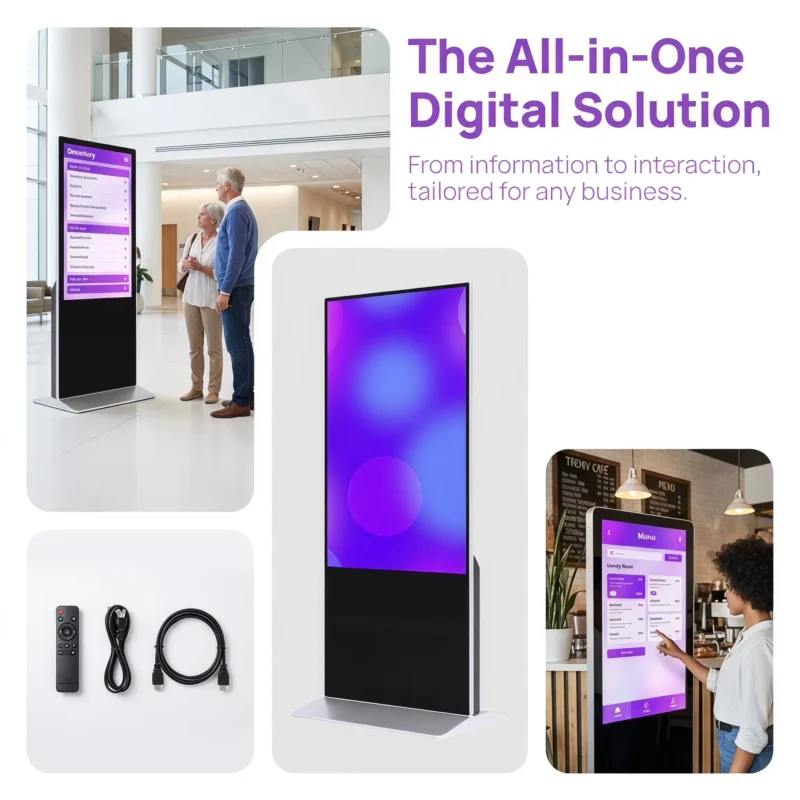
The 43-inch floor-standing LINGHUFOX display describes promotions, digital menus and visitor information, with 4K output and cloud-based management. It is one candidate for a freestanding message point. Confirm the exact software package, touch option and installation arrangement rather than treating all advertised capabilities as included in one standard price.
The 55-inch wall-mounted display offers a different physical arrangement where floor space is constrained. Its listing includes Full HD and 4K panel configurations and remote publishing support. Ask which panel and player are proposed, and how the selected content will be rendered. A panel-resolution option does not by itself identify the player’s decoding capability.
For a larger reception or lobby, the 75-inch floor-standing model describes welcome, wayfinding and promotional applications. Decide whether it will display a persistent welcome message, timed announcements or a campaign sequence. That decision affects content design and operating responsibility, not only the screen size.
Ask the business owner which information people must be able to find immediately. A service direction or a current menu may need a persistent region or another approved presentation method. Confirm that the proposed player supports the intended layout. Do not promise split-screen or interactive behaviour merely because it was shown on a different demonstration unit.
The entrance, counter and shelf guide helps map display formats to locations. Add a content-availability requirement for each location. Two identical screens may need different operating policies because one carries optional promotion and the other carries information customers rely on to complete a task.
List the normal content periods in the language of the business. A restaurant might distinguish breakfast, lunch and evening service; a reception area might distinguish visitor hours and after-hours information. Define the start and end of each period, the local time zone and the content that should appear between scheduled events.
Xibo’s dayparting documentation provides an example of a CMS that groups schedules into named time blocks and supports exceptions. That illustrates the kind of operating requirement to discuss. It does not mean Xibo or its specific feature set is supplied with every LINGHUFOX display; confirm the functions of the actual management package.
Add weekends, public holidays and planned closures to the brief. Ask who maintains those exceptions and how the team confirms they reached the intended displays. A schedule that works on a normal weekday can still show the wrong service message on a closed day. Use non-commercial test material when checking the exception process on the sample.
| Field | Decision required |
|---|---|
| Location and display identity | Which physical screen receives the rule? |
| Local time basis | Which time zone and device clock control the event? |
| Normal content periods | What starts, ends and remains between events? |
| Exception days | Who approves closures and altered service hours? |
| Fallback content | What remains appropriate if an update is unavailable? |
| Review owner | Who checks that the message is still valid? |
During sample acceptance, schedule two clearly identifiable test messages on either side of a known boundary. Observe which message appears before and after it. Record the clock settings and the software used. This is a proposed evaluation method, not a claim that all signage systems make the same scheduling decision or provide identical timing accuracy.
Also ask what happens when the player starts after an event has begun or after it has ended. The correct behaviour depends on the software and the business requirement. Record it explicitly rather than assuming the system will infer the intended message from an incomplete calendar.
A useful process identifies the content owner, the approver and the publisher. One person may hold several roles in a small business, but the decisions remain different. The content owner knows whether the message is commercially correct. The publisher knows how to deliver it through the approved system. The supplier should explain the supported permissions and operating process without inventing an approval feature the software does not have.
Keep a revision reference with each campaign package. Record the locations and dates for which it is approved. This reduces ambiguity when an older file and a revised file have similar names. The publishing team should be able to identify the approved version without choosing between several attachments based only on which one was received most recently.
For customer-facing prices, opening times or service conditions, establish who checks the content before release. This guide does not determine any destination’s advertising or consumer-law requirements. The business and its advisers should approve regulated or contractual statements. A display supplier’s technical acceptance cannot certify the commercial accuracy of the message.
Some businesses want local managers to change a message while preserving brand control. Describe that requirement to the software provider and ask how it is supported. Confirm whether permissions, approved fields or another documented process are available. Do not assume a general cloud-management description includes a particular multi-user approval system.
If local changes are allowed, define how they expire or return to the normal campaign. A temporary closure notice should not remain indefinitely because nobody owns its removal. Keep the local exception in the same operating record as the central schedule, with a responsible person and a review time.
The 32-inch floor-standing display lists scheduled playback and power-on/off support. Ask what is supported by the exact supplied build and how the functions interact. A content calendar, the panel’s power state and the availability of a management connection are separate operating questions.
Confirm the intended daily operating period and the environmental requirements with the manufacturer. Do not translate a general commercial-display description into a blanket round-the-clock rating for every model and configuration. The business should receive written confirmation of the proposed operating arrangement and any relevant limits.
For resource planning, use clearly labelled assumptions. The 55-inch wall-mounted listing gives power consumption of no more than 88 W. Using 88 W as an illustrative continuous load for 12 hours on 300 days gives 316.8 kWh. This arithmetic example is not measured annual consumption and excludes other equipment and off-hour behaviour. Actual operation requires appropriate measurement and the current model specification.
Such an example is useful only when the assumptions remain visible. A different brightness setting, player configuration, operating schedule or accessory can change the real result. Ask the supplier which current electrical data applies, and have the site’s qualified personnel assess the installation. Do not use a catalogue power value to design circuits or approve an electrical system.
Separate a connection failure from an outdated message. A player may continue showing stored content, but the business must decide whether that content is still appropriate. An evergreen brand image and a time-limited promotion have different consequences when an update is delayed. Give each content type an approved fallback policy.
Ask the supplier and software provider to demonstrate the proposed offline and recovery behaviour. Identify whether the campaign uses downloaded files, live webpages or external data. A successful local image does not establish that every live element will remain available. Keep the test tied to the actual player and software configuration.
The project-evidence guide helps define the wider acceptance record. Add the operating calendar and fallback decisions to that record. The result should show not only that the display plays content, but also that the business understands what viewers will see when the normal publishing process is interrupted.
List the display, player, management software, licence term, installation, content preparation and training separately. Ask which items are included and which the customer must provide. A low hardware price is not a complete comparison when another proposal includes a management service or local installation that the first one excludes.
Clarify ongoing responsibilities as well. Who renews licences, updates software, restores a player and revises the calendar? Who holds the authorized administrator account? The answer should remain usable when the original installer or marketing employee leaves. Avoid depending on an undocumented personal account that nobody else can legitimately manage.
Keep the retail display-range comparison beside the operating brief when selecting models. Format and size determine where a display fits; the operating package determines how the business keeps it useful. Approve both before treating the project as ready for delivery.
At handover, have the responsible staff perform an approved update and an exception-day change on the sample or prepared system. Record the configuration, instructions and result. This proposed exercise checks whether the supplied process can be operated by the customer’s team, rather than relying on a demonstration that only the supplier knows how to repeat.
No. The business must define its content periods, local time basis, exceptions and fallback messages, then confirm how the selected software implements them. Display power and management connectivity may follow separate rules. Test the intended boundaries and late-start behaviour on the actual configuration before approving the operating process.
The business should assign an owner who can confirm the message, dates and locations are correct. The technical publisher then uses the approved process to deliver that version. Software permissions may help, but their exact availability must be confirmed. Technical success does not establish that a commercial statement is accurate or appropriate.
Compare the complete display and operating package: hardware, player, software, licence terms, installation, training and support responsibilities. Include the calendar and exception process. This makes the offers comparable and helps the customer understand what must be supplied locally before the screens can serve their intended commercial roles.
