


Get quote
Get Free Consultation!
We are ready to answer right now! free consultation.

Before selecting a commercial all in one PC supplier, decide how the business will restore a workstation when it stops serving its role. The response may involve an approved software recovery, a compatible peripheral replacement or a complete spare computer. Those are different actions with different owners. A useful supply agreement makes the route clear before a busy reception desk or shared office depends on the equipment.
LINGHUFOX’s AIO range covers compact 23.8-inch workstations, larger 27-inch desktops and a 32-inch capacitive-touch format. The business should identify which installed configurations a spare can replace and what must happen before that spare is usable. This guide focuses on continuity and support records, not a promised failure rate, repair time or guaranteed parts inventory.
Start with the work that must continue, rather than asking for an arbitrary spare percentage. A reception workstation may need a booking application and a particular printer. A shared office desktop may have a different fallback. Identify which tasks can move temporarily to another device and which require the same approved application and peripheral arrangement.
The 23.8-inch LINGHUFOX computer is described for reception and everyday business tasks. A business considering it should list the actual applications, accounts and connected equipment that define those tasks. The compact screen format does not identify the whole operating environment that a replacement must reproduce.
The 27-inch AIO is presented for a larger office or service-desk workspace. It may share some applications with the smaller model while requiring a different physical arrangement. Confirm that a proposed spare fits the desk and connection layout, as well as satisfying the computing requirement.
Ask the business to identify the consequence of a workstation being unavailable and the acceptable temporary service route. Those decisions help choose the support arrangement and any spare inventory. They do not create evidence of a particular failure rate or justify a blanket promise that a single spare will keep every location continuously operational.
Record the roles covered by each fallback. A nearby laptop may support email but not a task-specific counter application or approved scanner. The operating team needs to know what remains available and what requires assistance, rather than discovering those limits after the primary workstation fails.
Use separate categories for the AIO hardware, operating system, business application, connected device and network or account access. A workstation can power on correctly while a service is unavailable elsewhere. Conversely, a working application account cannot resolve an electrical or physical equipment concern. The first report should describe the observed boundary without attempting an unauthorized repair.
Record the exact model and serial number, application involved and visible message. State the expected result and what actually happened. Include recent authorized changes that may be relevant. Avoid a report consisting only of “the computer is slow” or “the screen is broken,” because those descriptions do not establish which function needs investigation.
Site staff should know which simple checks they are permitted to perform and when to escalate. Internal access, power-component repair and managed-system changes belong to the relevant qualified or authorized personnel. This guide does not recommend dismantling the AIO, substituting an unidentified adapter or repeatedly resetting a device to see whether a problem disappears.
For a Windows system, Microsoft’s driver guidance describes Windows Update and legitimate manufacturer sources. Have IT approve the appropriate update route for the exact configuration. A support process should not depend on downloading an unidentified driver or disabling security controls to force it onto the device.
Use the configuration-comparison guide to keep the relevant computer details available. A precise build record helps distinguish a new fault from a different processor, network adapter or software image introduced on a later order.

Ask the supplier to identify the exact computer and approved power components supplied with the spare. Keep their identities attached to each other. Do not assume adapters from different AIO models are interchangeable or select a replacement from connector shape alone. The manufacturer should confirm compatibility, and authorized personnel should follow the relevant instructions.
Check every required peripheral through the actual application. A spare with fewer suitable connections, a different driver or an unsupported accessory can remain unusable at the intended desk. Keep the cable and adapter arrangement documented. An empty port is not proof that it supports the function the business requires.
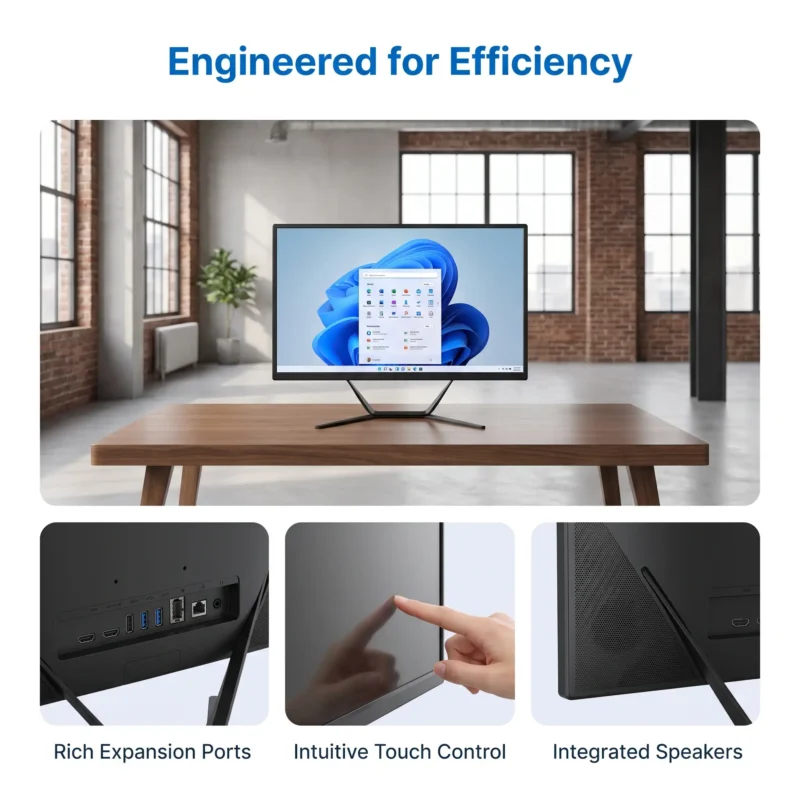
The 32-inch model explicitly describes capacitive-touch interaction for work and shared content. A non-touch spare may not restore a role built around that input method. The current 23.8- and 27-inch descriptions do not establish the same touch capability, so do not treat them as touch replacements without separate configuration evidence.
Where a touch role has an approved keyboard or mouse fallback, test that route before depending on it. The business application may expose different controls or require a particular user process. A possible fallback becomes useful only when it is documented and accepted by the people responsible for the task.
| Area | What to establish |
|---|---|
| Hardware | Approved build, screen format and required input method |
| Power and connections | Correct supplied components and complete peripheral route |
| Operating system | Supported edition, activation responsibility and approved update state |
| Applications and accounts | Legitimate installation and authorized user-access process |
| Physical placement | Suitable stand, desk envelope and service access |
| Acceptance | The representative business task works after the approved deployment |
Keep licence and account ownership explicit when a spare replaces another unit. The organization and software providers should determine the permitted transfer or activation process. Do not assume every application licence follows the employee automatically or that a copied system image establishes legitimate access on another device.
The business needs an approved backup and recovery process before a failure. Identify which information is stored locally, which is maintained by an application service and who controls the recovery access. The hardware supplier’s warranty does not automatically include recovering documents, restoring a business database or recreating a user’s account environment.
Microsoft’s recovery guidance warns that some options can cause data loss and advises preparation before recovery. Have the organization’s IT team select the appropriate method. Do not interpret “reset” as a harmless universal troubleshooting step or assume that reinstalling the operating system preserves every application and setting.
Recovery keys, administrative credentials and private data should remain in the organization’s authorized systems. The asset record can identify the responsible team and process without exposing those values. A supplier or technician should receive only the information and access specifically needed for the approved service task.
Before returning a computer, agree the organization’s data-handling requirements with the authorized service provider. Determine what must be preserved, what may be removed and who verifies the action. This guide does not authorize erasure or make a claim about a specific service provider’s data practices. The business should use its own approved procedure.
Prepare a non-confidential recovery exercise on a permitted sample where the project requires it. Verify that the responsible team can locate the correct instructions and restore the intended configuration. Record the conditions and outcome without presenting that exercise as proof of a guaranteed recovery time for every future incident.
LINGHUFOX’s project-support description includes technical assistance and after-sales support. Ask the quotation or service agreement to identify the actual coverage, claim process, replacement authorization and logistics responsibilities. A response to a support request, a diagnosis and an operational replacement are different milestones.
For an overseas order, confirm the permitted return or replacement route. Ask who handles packing, transport, local installation and reconfiguration where applicable. Do not infer a fixed repair time, free freight or on-site technician from a general warranty statement. Keep any agreed commitments in the commercial record.
Provide the serial identity, configuration, observed issue and authorized checks already performed. Ask the supplier what additional non-sensitive evidence is useful. A photograph of an equipment label or a permitted error message can help, but ordinary support communications should not contain private customer records or account secrets.
Keep the case reference connected to the affected asset. If a replacement arrives, record whether it is the same accepted build or an approved alternative. This lets the deployment and application teams prepare the correct process instead of treating any replacement carton as immediately ready for the original role.
The office-range guide can help identify which roles share support requirements. Use those groups to organize spare compatibility and documentation, while retaining the differences that matter. A common brand and enclosure style do not establish a single support configuration across all locations.
Ask the supplier to identify changes to the proposed build, including components, approved drivers, power accessories or enclosure arrangements. Review the impact on the installed role. A new revision may be acceptable, but the buyer needs evidence for the functions it depends on rather than an unexplained assertion that the unit is equivalent.
Have IT and the relevant application owner repeat the affected checks. A changed network adapter may affect deployment; a changed connection arrangement may affect a counter peripheral; a different screen or stand may affect desk fit. Record the approval and keep it linked to the replacement or shipment identity.
An unused spare can fall behind an approved application or management configuration. Assign a responsible team to review its readiness through the organization’s process. This does not mean casually updating production equipment or applying every available change without assessment. It means knowing whether the spare still matches the role it is supposed to restore.
When the business changes its application or workstation role, update the spare mapping as well. The touch configuration guide is relevant where an ordinary desktop becomes a shared interactive station. The old fallback may no longer satisfy the new input and account requirements.
Close each replacement with the new asset identity, accepted configuration and unresolved exceptions. Preserve the history rather than overwriting it with the latest model name. That record supports future orders and helps the next technician understand which system the business actually depends on.
Not necessarily. It also needs the approved applications, legitimate access, compatible peripherals and a suitable physical arrangement for the role it will replace. Verify the representative business task through the authorized deployment process. A bootable computer is only one part of restoring the workstation.
Do not assume that it does. Confirm the service scope and keep the organization’s backup, application and data-recovery responsibilities separate. Some recovery procedures can remove information or settings. Authorized IT staff should decide the appropriate method and manage sensitive recovery access through the organization’s controls.
Compare the actual hardware and software configuration, approved power components, input method and required peripheral routes with the accepted role. Identify changes and repeat the affected checks. The goal is a traceable, supportable replacement rather than a similar-looking computer whose operating differences are discovered only after installation.
