


Get quote
Get Free Consultation!
We are ready to answer right now! free consultation.
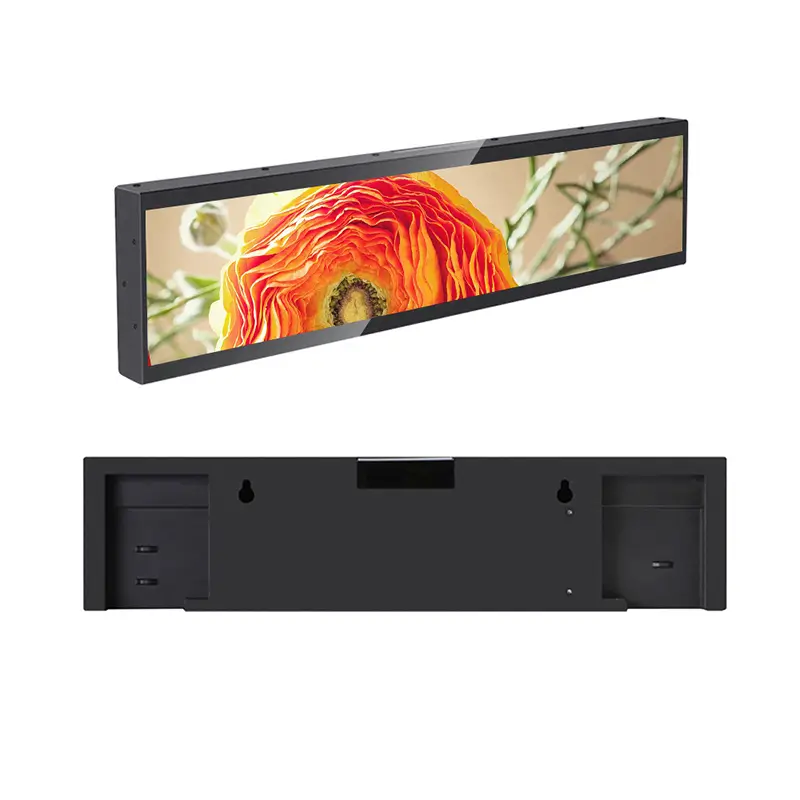
Send the creative team a confirmed pixel canvas before asking it to design a bar-shaped advertisement. A stretched LCD display manufacturer should identify the active area, addressable pixel width and height, playback orientation and supported export format for the exact unit. The diagonal describes the panel size; it does not tell a designer how a finished campaign should be delivered.
LINGHUFOX’s stretched range includes 18.5-inch and 23.1-inch formats for narrow retail and information spaces. Their unusual proportions can suit a shelf message, counter announcement or short direction. They also make a poorly matched layout immediately visible. A conventional landscape advertisement can become cropped, distorted or unreadably small when it is forced into a shallow strip.
The 23.1-inch LINGHUFOX model lists an active display area of 585.6 × 48.19 mm and 400-nit brightness. Those values describe the published physical image area and brightness of that model. They are useful for evaluating a narrow fixture, but they do not alone define the source file that its player expects.
The same specification presents native resolution using RGB notation. Before commissioning artwork, request confirmation in ordinary pixel width and height, together with the intended orientation and output mapping. If a table’s ratio label, physical area and resolution notation appear inconsistent, have the manufacturer resolve the difference in the configuration document. Do not select whichever interpretation happens to match an existing design.
The 18.5-inch model is described as a narrow format for counter, shelf and queue information, with centralized management and remote scheduling. Its application description should not be used to infer the same resolution as the 23.1-inch version. Request a separate canvas and player specification for each ordered model.
A mechanical drawing identifies the outside dimensions, active area, mount and connection access. A creative specification identifies pixels, orientation, supported media and scaling. Both documents refer to the same model and revision, but they answer different questions. A shopfitter should not size an opening from a design application’s export settings, and a designer should not invent an export resolution from a ruler measurement.
The fixture-opening guide covers the physical side of that decision. Use it alongside the creative specification rather than combining the two into a single ambiguous “screen size” field. The complete order is easier to review when each team can see the dimensions that govern its own work.
Begin with one purpose. A shelf strip might identify a product group, communicate a short benefit or direct shoppers toward a service. Decide which of those jobs is essential at that location. Trying to fit an entire poster into the bar can leave every element too small, even when the player reproduces the source file perfectly.
Write the message before arranging it. Identify the words that must remain readable and the image that genuinely helps interpretation. Remove decorative elements that compete for the limited vertical space. This is an editorial design recommendation, not a promise of improved sales or a measured attention effect. The final layout still needs evaluation from the intended position.
A persistent identifier and a changing promotional statement have different operating requirements. If shoppers use the display to identify a shelf location, consider whether that information should remain visible while campaigns rotate. Ask the content-system provider how the proposed arrangement is supported. Do not assume a generic scheduling description includes independently managed regions.
Where information changes with the goods on the shelf, assign an owner to the relationship. A correct message displayed at the wrong product location can be misleading even though the hardware is functioning. The display supplier can provide device identity and management information; the retailer must maintain the connection between the physical merchandise and the approved content.
Use the entrance, counter and shelf comparison to decide whether the narrow display should carry the whole message or complement another screen. A larger nearby display can provide detail while the bar performs a short, location-specific job. That division can be clearer than squeezing both purposes into the same shallow canvas.

Ask the software provider whether an image is fitted, cropped or stretched to the target area. These behaviours are different. For a web-based implementation, MDN’s object-fit reference distinguishes preserving the whole image with unused space, filling the area while clipping it, and stretching it to the box. Those browser definitions illustrate the decision; they do not establish the menu or behaviour of the supplied signage software.
For a stretched screen, automatic cropping can remove most of a conventional image’s height. Fitting the entire image can leave it too small to communicate the intended message. Stretching may change a logo or person’s proportions. Select a deliberate composition for the confirmed canvas instead of leaving that choice to an unexplained default.
Use an acceptance file with a visible boundary, corner names, a marked top edge and a circle. Add short text close to each edge without placing critical production text there permanently. This file can reveal cropping, inversion, rotation and distortion more clearly than an advertisement containing only abstract shapes.
Run the reference through the same player and delivery route that will serve the campaign. A preview on a designer’s laptop is not enough. Record the exact export dimensions, file version, software setting and visible result. Keep the accepted reference available so another technician can reproduce it when a player or display is replaced.
| Field | Confirmation required |
|---|---|
| Pixel canvas | Addressable width and height, not just diagonal or RGB notation |
| Orientation | Which edge is up and how the player maps the file |
| Scaling rule | Approved fit, crop or other supported behaviour |
| Media format | Actual supported encoding and export settings |
| Location identity | Which shelf or information point receives the content |
| Reference package | Accepted boundary file and campaign revision |
The 23.1-inch listing describes Android 8.1 on an RK PX30 platform with 1 GB RAM and 8 GB flash storage. Confirm the current offered build, its support arrangements and the intended workload with the supplier. These published values are not proof that an arbitrary modern application or a complex live dashboard can be installed and supported on the unit.
The listed connection arrangement also differs from an ordinary desktop monitor. Obtain the actual publishing and service instructions rather than assuming a conventional HDMI input is available. The presence of an adapter in the accessory list does not establish every possible external-source connection. Specify the source method that the manufacturer has approved for the quoted configuration.
For video, provide the intended file to the supplier before final approval. A format name such as MP4 does not fully describe the encoding, resolution or decoding workload. Ask for the accepted export settings and test the complete package. Do not infer support for a higher-resolution or differently encoded video from a successful still-image demonstration.
Evaluate animation with the real message length and viewing opportunity. A scrolling line may take longer to reveal essential information than a person spends at the location. A still arrangement or a shorter sequence may be more useful. Decide through a representative observation rather than claiming that movement always improves attention.
If several assets rotate, confirm the order and the time each remains visible. Include any transition that matters to understanding the message. The creative team should be able to deliver a package that is understandable within the approved sequence, rather than assuming the player will rearrange or simplify the content automatically.
Document what remains available without a management connection. A downloaded image and a live webpage have different dependencies. Ask the software provider to explain the actual offline behaviour and use non-commercial sample material to observe it. The presence of local storage does not prove that every live element has a valid fallback.

Give each display a location reference that the store and publishing team can both understand. Add the device or serial identity and the approved model configuration. A device list containing only similar-looking names can make a remote update difficult to verify, particularly when several narrow displays sit beside each other.
Use an identifiable test message to confirm the mapping before publishing a real offer. Check the actual screen at the destination and record the result. A delivery confirmation in a management interface should not replace the initial physical check that the intended shelf has been associated with the correct device.
Do not assume that adjacent screens form one synchronized video surface. Independent schedules, grouped updates and frame-synchronized playback are different capabilities. Request the specific function the project needs and test it on the proposed configuration. A general description of centralized content management does not prove all three.
A retailer may move merchandise while leaving the display in place, or move the whole fixture to another area. Define who checks the location mapping, message validity and viewing conditions afterward. Treat a changed shelf arrangement as an operating change, not merely a merchandising decision unrelated to the screen.
Keep the installer involved if the display or fixture moves. The current support, cable and service requirements still apply. The stretched-display range identifies available formats, but a different model should not replace an installed one without reviewing both physical fit and digital canvas.
Ask a reviewer who did not create the files to use the handover instructions. They should be able to identify the right canvas, load the approved sample through the permitted route and recognize a correct result. Record any missing information. This proposed exercise tests the clarity of the handover; it is not a claim that a field trial has already been completed.
Approve the final campaign only after the reference file and realistic content both work. The reference can expose technical mapping errors, while the campaign shows whether the actual message remains useful. Keep both results with the exact model and software revision. One does not replace the other.
For a repeat order, confirm the output mapping and player build again. A familiar enclosure or diagonal does not ensure unchanged software. When a revision is necessary, update the creative specification and reference package together. This prevents an old export preset from becoming an unexplained source of problems on a newly supplied unit.
No. Physical dimensions help with placement, but the manufacturer must confirm the addressable pixels and player mapping. Ask for width and height in pixels and an accepted reference file. Resolve ambiguous resolution notation before design approval rather than assuming a conventional aspect ratio or copying the settings from another diagonal.
It depends on the content and the approved scaling behaviour, but a narrow strip usually needs a deliberate composition. Check whether fitting makes text too small, cropping removes essential material or stretching distorts the image. Evaluate the actual result on the supplied player rather than treating a desktop preview as final acceptance.
Include the model and configuration reference, pixel dimensions, orientation, supported media settings, scaling rule, location mapping and file revision. Retain a simple boundary test alongside the campaign. Those records help both the supplier and retailer reproduce the intended message after an update, replacement or change to the physical shelf arrangement.
